Monday, 11 May 2026

Baby things you just need to buy

A quick note: the original product photos on this post used Amazon's old iframe widgets, which Amazon retired years ago. This is a rebuild — same words, same recommendations, with the product images restored.

Feeding Bits & Soothers

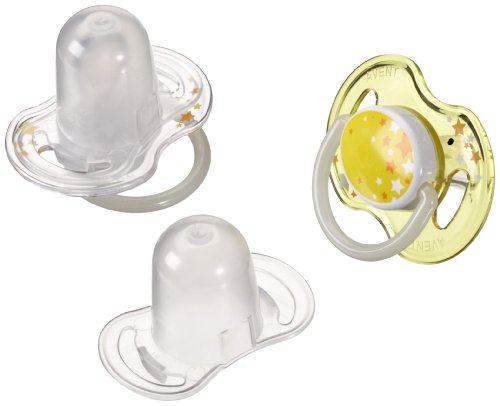
Tommee Tippee is still the best, and you're likely to use most of the bits that's in the starter kit. It comes with a soother in the pack, but if you want more soothers later then the Philips ones are safe and good — glow in the dark for when you need to find them in the dark ;)

Obviously breast milk rules, but it's good to have a pack of the Hipp Milk handy as well for emergencies.

Tommee Tippee starter kit
ASIN · B004GCJF9U
View on Amazon UK →
Philips soothers
ASIN · B00518GAIW
View on Amazon UK →
Extra soothers
ASIN · B003YUC164
View on Amazon UK →
Hipp emergency formula
ASIN · B003Y6OOZE
View on Amazon UK →

Breast Pump

If you're not sure you're likely to need it then invest in a basic manual one. Philips is the best for that, but if you need a proper one then go with the Medela Electric Breastpump.
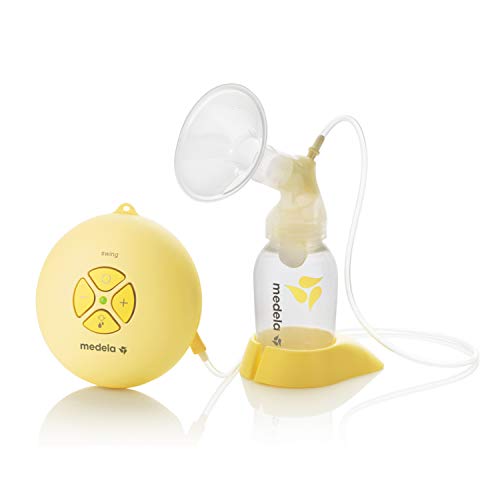
ASIN · B007ZPFO6S
View on Amazon UK →
Medela electric pump
ASIN · B000LPZTQY
View on Amazon UK →

Bathing & Thermometer

Bath thermometer's a must before you dunk the kid in — water should be around 37°C.

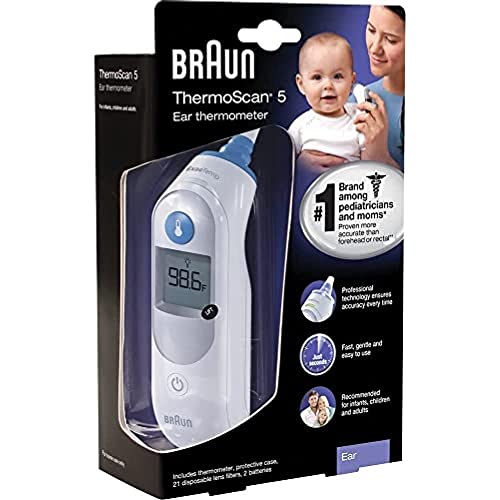
Also buy the Braun thermometer as well asap — every house should have one of these. We have one for home, one at parents.

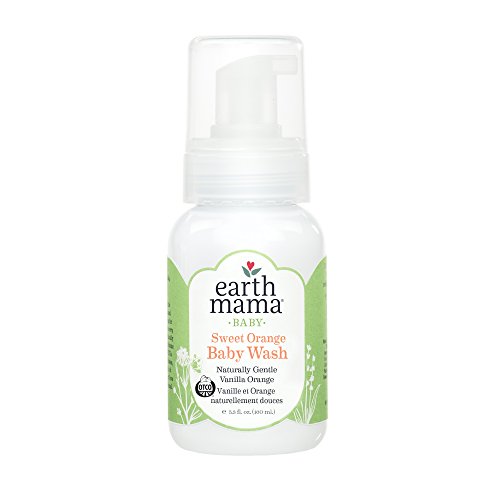
Shampoo here is the best one; we also use a second one that I can't find available online.

Bath thermometer
ASIN · B000279W00
View on Amazon UK →
Braun thermometer
ASIN · B0001D0LMS
View on Amazon UK →
Baby shampoo
ASIN · B000JYIDE2
View on Amazon UK →

Grooming

You'll need the nail cutters and brush from this (helps with cradle cap dry skin); the rest you may find useful, and it's cheaper to get it in a pack.
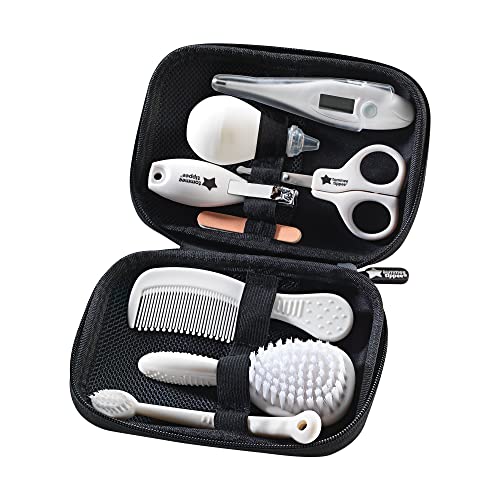
Grooming kit
ASIN · B002IS0M32
View on Amazon UK →

Nappy Bin

Get a couple. One for baby's room for pee and one to keep in the bathroom for poop! You don't need to buy extra bags — just wrap a black bin bag around the cartridge and stick it in.

Nappy bin
ASIN · B00E737PO0
View on Amazon UK →

Toy Essentials

Lamaze toys are very good. Very well designed and perfect for car or cot bed. The spinny one's handy to hold their attention when they start sitting with you to eat!

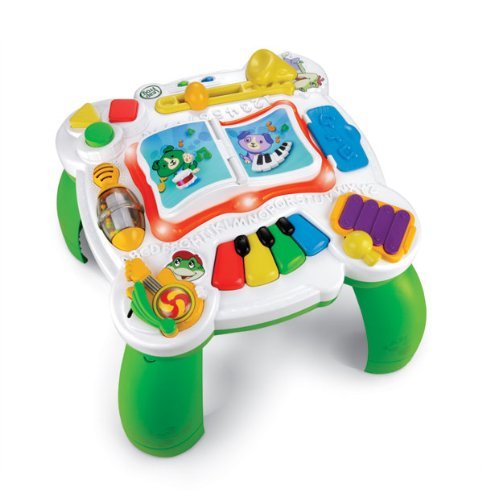
You'd be good to have one of these when they're around 9 months. It would encourage them standing up and walking as well as interacting.

Lamaze toy
ASIN · B000I2OKEW
View on Amazon UK →
Lamaze toy
ASIN · B000I2Q0F4
View on Amazon UK →
Spinny toy
ASIN · B002J4U8P2
View on Amazon UK →
Walker
ASIN · B000EIV1RO
View on Amazon UK →

Mobile, Monitor & Book for the bed

One of the best mobiles, and handy to hold their attention for a while. Book's a good one for bed time reading even from the age of 3 months.

Monitor's one of the best and it just works; we still use it for night light and it also shows you the temperature in their room, which should be kept close to 19°C. Don't get the video one — you might fry baby's brain with the radio waves ;)

Cot mobile
ASIN · B00198PQHY
View on Amazon UK →
Bedtime book
ASIN · 1607102447
View on Amazon UK →
Baby monitor
ASIN · B002NWJ1N0
View on Amazon UK →

Baby Carrier & Car Seat

Very handy to have. Car seat and ISO fix that we used — you don't need the ISO fix, it just makes life easier. You need a baby car seat to take baby home from hospital, so get one as soon as you can.

Baby carrier
ASIN · B002IC018E
View on Amazon UK →
Carrier accessory
ASIN · B000MF2E7A
View on Amazon UK →
Car seat with ISOfix
ASIN · B002YK51YE
View on Amazon UK →

Safety

It's gonna start crawling a few months in. Have these in place sooner than later. You need one for upstairs and one for downstairs.

Stair gate
ASIN · B001KC05PM
View on Amazon UK →

Sun Screen

Might sound strange, but not all sun screens are the same. This is the best one — with the least chemicals and most effective in that range.

Baby sun screen
ASIN · B000LNH27U
View on Amazon UK →

For when baby's older

Potty

Be ready to start potty training at 2 years.

ASIN · B000MEU3M4
View on Amazon UK →
Toilet trainer seat
ASIN · B001RH85I4
View on Amazon UK →
Step stool
ASIN · B001RH1A9K
View on Amazon UK →
Training pants
ASIN · B000YKPD0I
View on Amazon UK →

This page contains Amazon affiliate links to amazon.co.uk. If you click one, I may receive a small commission — at no additional cost to you.

Tuesday, 24 October 2023

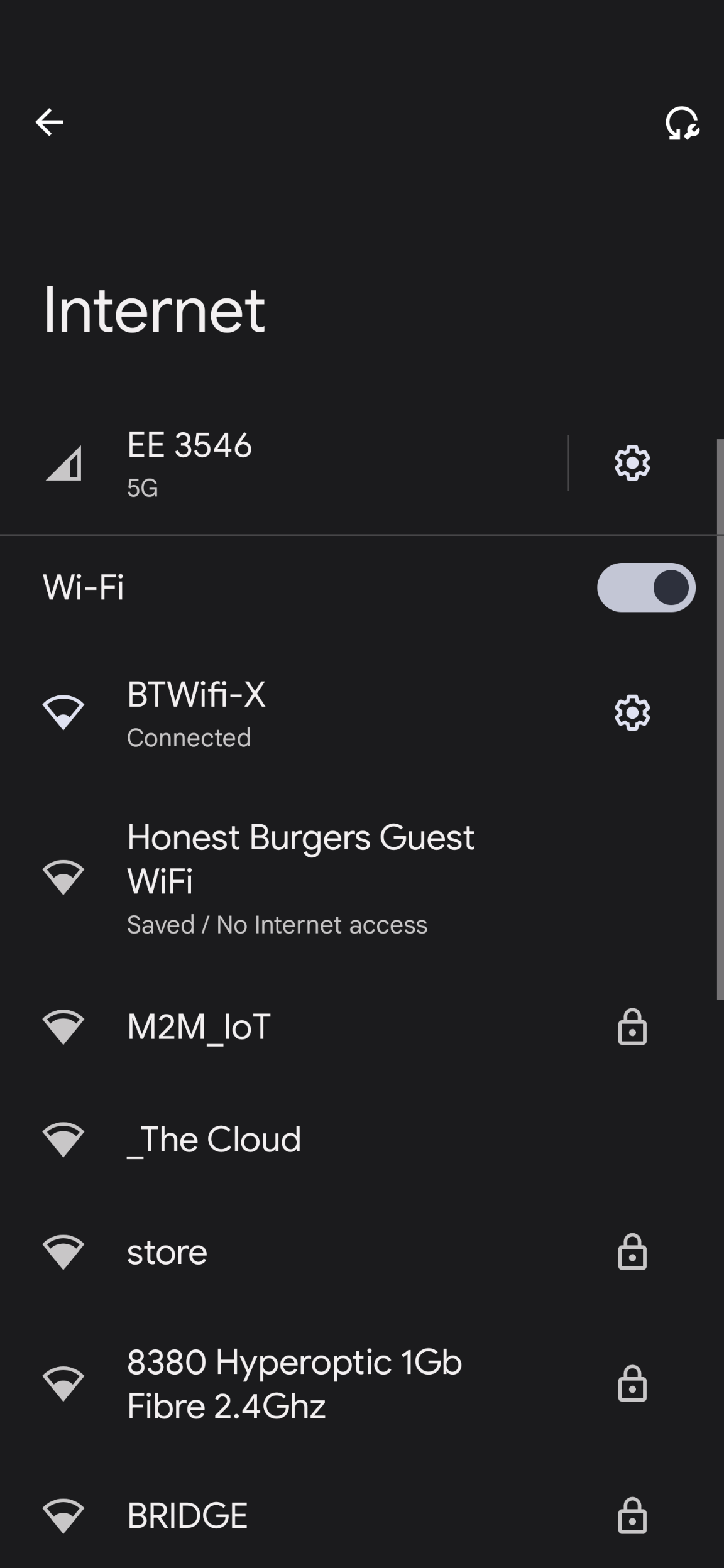
BTWifi-X and EEWifi-X with your EE Sim, and eSim


With BT and EE now sharing a bed, you can now use the BT resources like the BTWifi-X public hotspot that used to be previously exclusive to BT customers.

Also now you should start seeing BT hotspot names being gradually changed to the EE branding. 

So...

IF: You're on a EE contract (not PAYG)

AND: You're using a PHYSICAL EE SIM card (not an eSIM) then you can connect to the BT and EEWifi-X hotspots wherever you see them.

IMPORTANT: Currently there are technical issues with eSims connecting specifically to the Wifi-X hotspots.


If you're struggling to connect still and the connection attempt is toggling between Connecting and Saved, then during the SIM authentication setting try in the Advanced section, changing the MAC address setting from dynamic to static.

Thursday, 10 November 2022

STORM Boiler E0 Error

If you have a STORM boiler installed and you're getting the dreaded E0 Error come up on the display then you just need to add water pressure.

To do this you should find a black knob at the bottom of your boiler that looks more like a pipe with a black cap on it. Twist the black cap open and you'll find that the water pressure gauge changes and goes up. I have the pressure go up to just over 2 and it seems to work fine.


Friday, 8 October 2021

iPhone drops call without ringing

Troubleshooting condition if 

1. You just upgraded your phone, and

2. Using an old SIM card that you had in your old phone, and

3. If you can make calls out from your phone fine, and

4. Incoming calls show briefly on the screen and disconnect without ringing, and 

5. Incoming calls appear as missed calls without phone ringing

6. The caller hears nothing their end, then connection attempt terminates

Then it's likely that you may have a 2G, 3G or 4G card in your 5G phone. Upgrade your SIM.


Wednesday, 22 September 2021

Covid-19 Testing in Tirana, Albania

You have a lot of options in Tirana to get your PCR or ANTIGEN test, such as an LFD (lateral flow device) certification. 

Most countries accept Antigen which is much cheaper than PCR - check before committing. 

Option 1: There are over 5 testing stations just at Tirana Airport. They all do PCR. 

Option 2: Ask your hotel to arrange one for you. 

Option 3: Go to Intermedica in Tirana. 

Antigen testing is very new in Albania. The easiest and cheapest way to do this is to head to Intermedica on Rruga Panorama:


This is what the entrance looks like specifically for COVID-19 testing centre:


Force Android 11 on Nokia 3.4 from any coutry

Workaround to Download Android 11 on any Nokia 3.4 device: 

1. First download a good VPN from the play store
    - I use Mozilla VPN but I know Turbo VPN also works

2. Remove your SIM Card(s)

3. Clear data for the following apps: 
    1. Google Services Framework 
    2. Location Services 
    3. Google Play Services     
    4. Google Play Store

4. Restart your phone
5. Start your VPN. Launch the VPN and connect to any of the Wave 1 countries, like India.
    - I tried Australia and it worked

6. Connect to a Wifi and confirm you have a VPN connection
7. Go and check for updates. Try it a couple of times, then the update will show on your phone.


Sunday, 5 September 2021

Controlling Alexa Smart Home devices using SONOFF SNZB-02 Temperature Sensor

Make sure you've first followed the instructions to set your SNZB-02 up on the Alexa App first, then follow the instructions below:

Set to control / turn Smart Home devices on and off based on temperature:

1. Open Alexa App on your mobile device

2. Tap on More menu on bottom far right of the Alexa App


3. Select Routines


4. Tap on + to add routine

5. Enter Routine name of your choice


6. Select + next to "When this happens", then "Smart Home", and "Indoor" (if you’ve named your SONOFF as Indoor)


7. Select desired temperature to activate (or deactivate) another device, then Save


8. Add action of your choice, including turning on or off a light or smart plug connected to Alexa


Any issues please add a comment to the following video on YouTube where you're more likely to get replies and community support:

Setting up the SONOFF SNZB-02 temperature sensor with a Zigbee enabled ALEXA / ECHO device

Monday, 22 March 2021

DOOGEE X95 not charging, stuck on battery charge screen

So let's see, you've left your x95 and managed to completely drain the battery; now you've plugged it in and you see this come up on the screen, and you've tried to restart the device like you normally do and... nothing.


Here's the trick:

1. Be patient, very patient

2. Plug the charging cable in until you see the image above

3. Leave the phone alone for 30 minutes. This is a good opportunity to go to my YouTube channel to see some unboxing videos on my bed, and please (please!) subscribe!

4. After 30 minutes press the power button briefly until the screen is blank

5. Press the volume up button and keep your finger on it, then press the power button at the same time until you see the bootup menu

6. Keep the phone plugged in and showing this menu for another 15 minutes

7. Select the recovery mode option using the volume up button, then press volume down to restart the phone

8. You should now see the phone come back up with the initial charging screen, wait for another few minutes and you'll see the screen turn to 0%, and it'll start charging from there.


If you have any other tips then please share it in the comments below.

Setting up the SONOFF SNZB-02 with a Zigbee enabled ALEXA / ECHO device

So you can either sit through the Unboxing video on my YouTube channel, or go through instructions here to set up the SONOFF SNZB-02 sensor with Alexa. 

LINKS:

IMPORTANT: 

1. Your Alexa must support ZigBee, otherwise you'll need an additional ZigBee hub 
2. This sensor with Alexa as a hub will only show temperature. If you need Humidity reading as well then you'll need the SONOFF Zigbee Bridge / Hub as well. 


STEP BY STEP:

1. Take the back off of the sensor and remove tag out of battery compartment


2. Go to Alexa App and tap to add a new device


3. Pick Thermostat from the list, then Other, until you see it searching 


4. Press the button on the sensor and keep your finger on it 


5. When search times out on the Alexa App then you should see it showing a new device added 


6. Rename your new device (Using the Gear icon top right) from default "FIRST DEVICE" to anything you like, I called mine "INDOOR". 


6. You're done. Try "Alexa, Indoor temperature"


Any issues please add a comment to the following video on YouTube where you're more likely to get replies and community support:

Setting up the SONOFF SNZB-02 temperature sensor with a Zigbee enabled ALEXA / ECHO device

Monday, 7 March 2016

Surface Pro 3 Windows 10 Insider update to Build 14279 hangs at 32%

So my Surface Pro 3 managed to work through previous updates successfully in the past, but it got stuck on 32% with 6% installing features and drivers.

It's a Surface Pro 3 with Type Keyboard attached, sitting on a Microsoft Dock with a Lenovo USB 2 Ethernet Adapter and power connected to the doc, no external monitor.

After an hour I tried removing tablet from the doc and removing keyboard; still stuck at 32%.

After a two hour wait I restarted the tablet and started Windows updates again, no external devices or keyboard attached this time.

Update completed successfully.


Monday, 18 January 2016

System Center Configuration Manager 1511 (SCCM 2016) and Intune Connector

So I followed the numerous guides that run you through how to add Intune services to System Center 2012 R2 to add Intune Services to SCCM 1511, and hit a glitch.

From System Center 2016 console, under Cloud Services I added my Microsoft Intune Subscription details which worked perfectly fine.

With this, \\manage.microsoft.com correctly appears under Servers and Site System Roles.

I then right click on my Primary Server under Servers and Site System Roles to Add Site System Roles, but under the Available roles I only see the following:


So no sign of Windows Intune Connector Role that I expect to see.

Solution:

The Intune Connector has been replace by the Service Connection Point.
See:  https://technet.microsoft.com/library/mt622084.aspx#bkmk_servicepoint
Thanks to Benoit Lecours.

Solution link: https://social.technet.microsoft.com/Forums/en-US/e81f9e40-d569-40a8-b4a6-d8b003b8bdd4/intune-connector-not-showing-as-a-role?forum=ConfigMgrMDM#b1bb4633-14ec-4ed3-b53b-e3867d2357fa

Thursday, 3 December 2015

Some update files are missing or have problems. We’ll try to download the update again later KB3116908 (KB 3116908)

So following update's now out for windows 10:

"Cumulative Update for Windows 10 Version 1511 for x64-based Systems (KB3116908)"

But if you're getting the following error:

"Some update files are missing or have problems. We’ll try to download the update again later"


then try downloading the update directly from the updates catalogue here:
http://catalog.update.microsoft.com/v7/site/Search.aspx?q=KB3116908

See KB for more info:
https://support.microsoft.com/en-us/kb/3116908

Enjoy.

Tuesday, 7 April 2015

Fitbit Charge HR Tangerine UK availability

Update 13 OCT 2015:

Fitbit Charge HR Tangerine is now available in the UK from Fitbit website for £119.99, with Amazon showing no sign of availability.

There are however some Amazon Merchants cashing in on Fitbit's inability to keep their potential customers informed.

https://www.fitbit.com/uk/store#chargehr

Enjoy.

===========================

Update 27 APR 2015:

Well it looks like we won't be seeing the Tangerine for another few months:


If you know when the delivery of the Tangerine's likely to be then please post it here!

===========================

Original Post:

I decided to buy the Charge HR in Tangerine when it became available on Amazon.

Delivery is now showing to be in April:


Use the direct link below to check availability and buy the Tangerine Fitbit Charge HR from Amazon:


I'll update this as soon as I have delivery.

Friday, 6 February 2015

How to change the Network type from Puplic to Private in Windows 10

I mainly use remote desktop to work on my Surface Pro 2 running Windows 10. For some reason yesterday the network setting changed to Public which stopped Remote desktop access.

To change network to Private:

1. Right click on Network icon on taskbar and click on open Network and Sharing Center

2. At the bottom left of the box you have See also. Click on HomeGroup there and you'll get the option to change your location type.